What is Cloud Digital Dictation?
Cloud digital dictation allows legal professionals to record, store, and manage dictations securely online. It streamlines document creation by enabling on-the-go access, easy sharing, and seamless integration with transcription services, helping law firms improve efficiency and reduce administrative workload.
The Traditional Cloud Dictation Workflow
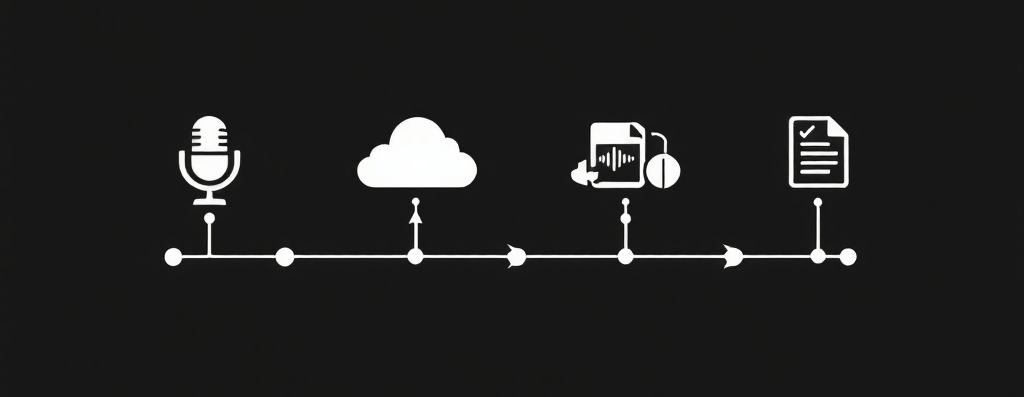
In most legal firms, cloud dictation software is a vital tool for streamlining document creation and improving efficiency. This process allows lawyers to dictate, transcribe, and manage documents seamlessly, no matter where they are. Here’s a look at the common workflow used by legal professionals to get the most out of their dictation tools:
!. RECORD: Dictate easily from any device, anywhere.
2. SEND: Integrate with your preferred transcription service.
3. RECEIVE: Manage audio files through a simple, efficient interface.4. APPROVE (optional): Review and finalise documents with speed and accuracy.
Cloud vs. On-Premise for Law Firms
Law firms must choose between cloud-based and on-premise solutions for their tech infrastructure. Cloud solutions offer easy access from anywhere, scalability, and lower upfront costs, with maintenance handled by the provider. This makes them ideal for firms seeking flexibility and remote access.
On-premise solutions provide full control and customisation but come with higher initial costs and the need for in-house maintenance and security management. They are better suited for firms that require complete control over their systems.
Ultimately, the choice depends on your firm’s needs, budget, and security requirements. Cloud is great for flexibility, while on-premise offers more control.
Migrating or Starting Your Cloud Digital Dictation Solution
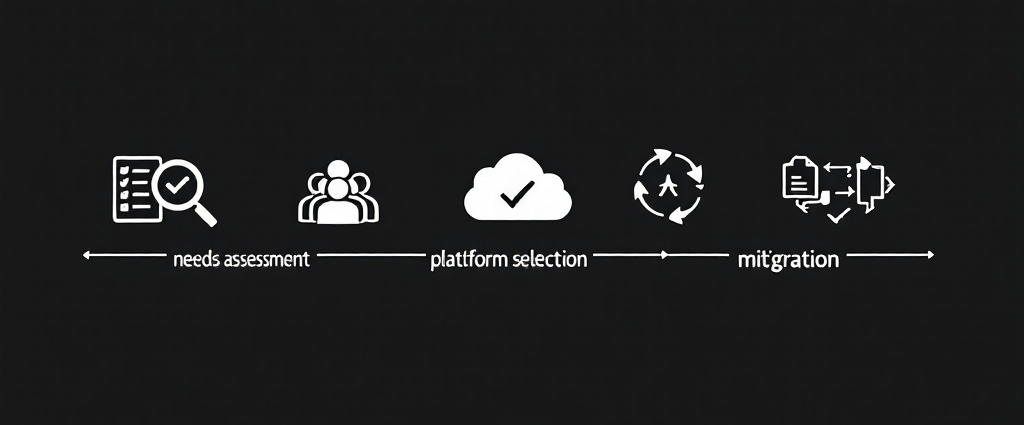
Switching to a cloud-based digital dictation solution offers not only increased efficiency and flexibility but also ease of deployment. Unlike on-premise systems, which require on-site installation, cloud solutions can be configured remotely, allowing for quick and seamless setup. Whether you’re migrating from an existing system or starting fresh, follow these steps to begin.
1. Assess Your Needs: Identify your firm’s dictation requirements, including users, devices, and integrations.
2. Choose the Right Platform: Select a secure, accessible cloud solution that fits your workflow.
3. Trial the Solution: Test the platform with a small team to evaluate its performance before full rollout.
4. Plan Your Migration: Back up data, outline workflows, and train staff to ensure a smooth transition.5. Integrate and Launch: Set up the tool, integrate it into your systems, and train users for optimal use.
The Top 4 UK Cloud Dictation Software Providers for Legal Firms

Bighand

Diktamen
Philips SpeechLive

One Advanced Digital Dictation
Latest Dictation Insights


Considering Cloud Digital Dictation for Your Legal Firm?
Whether you’re migrating from a legacy system or starting from scratch, we’re here to help. Our team will benchmark your firm’s requirements against all major UK dictation vendors and provide tailored trial suggestions based on your budget, needs, and future plans.
To simplify the process even further, we regularly update our Tech Insights with the latest developments in digital dictation. For vendors you’re interested in, we arrange demonstrations and trials, and thanks to our partnerships with trusted vendors, we can also offer discounts on licenses.
 Legal Digital Tools